Backing Up Your Project
Learn how to create a backup of your project as a downloadable zip file that you can share or store safely
1. Navigate to the Project List
If you have a project open, open the main menu and scroll to the bottom, then click Close Project.
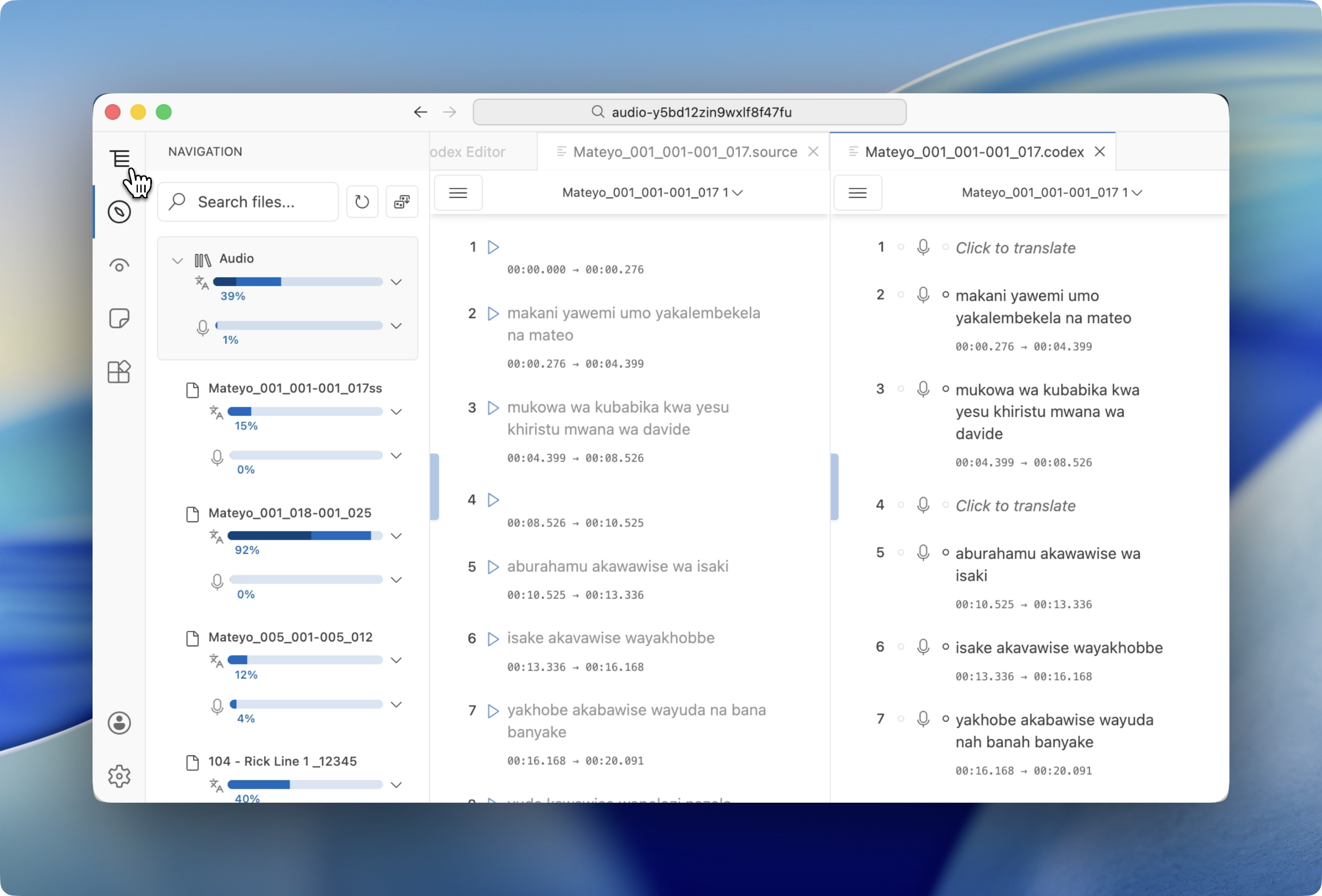
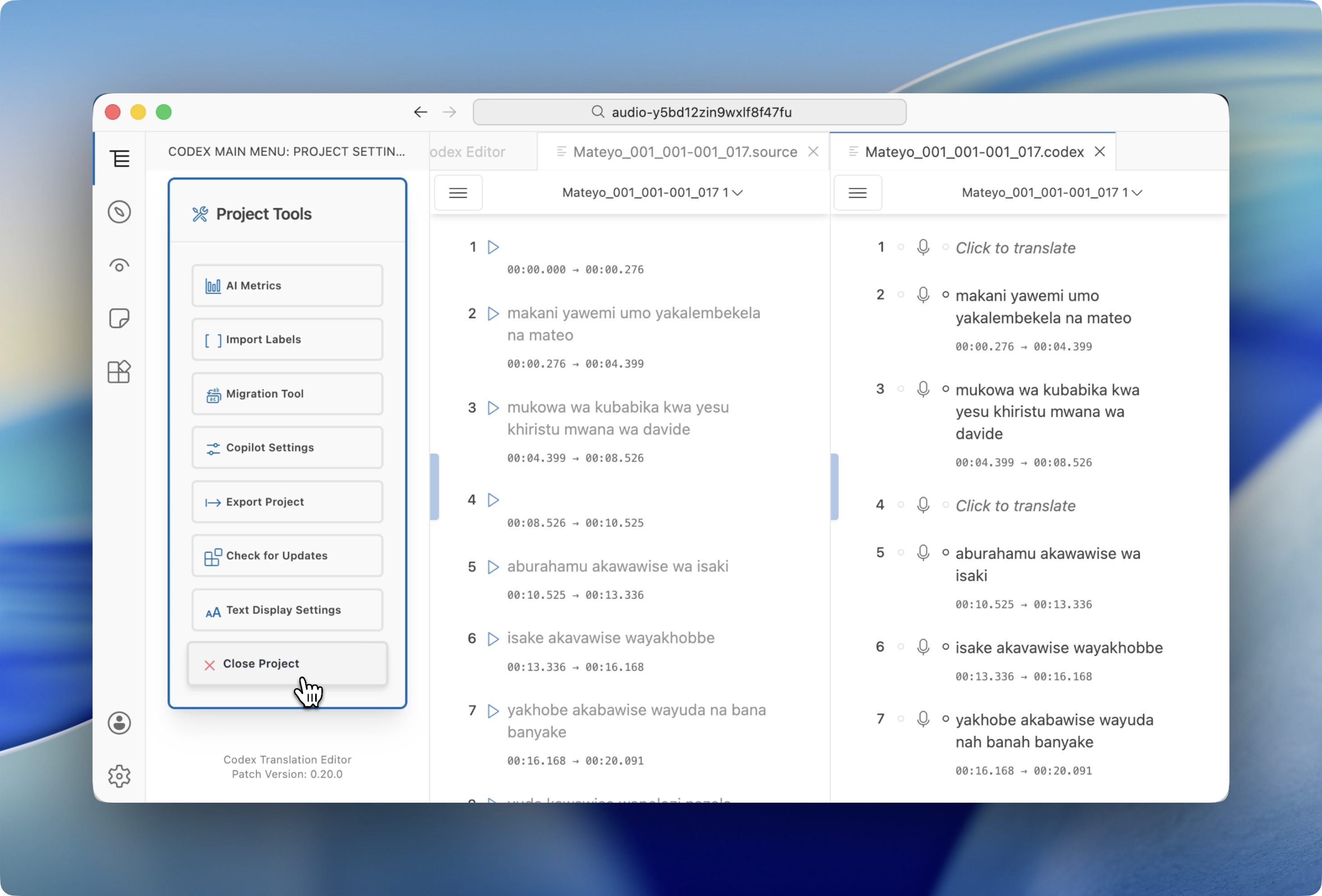
If you're on the welcome screen, click View Projects to see all your available projects.
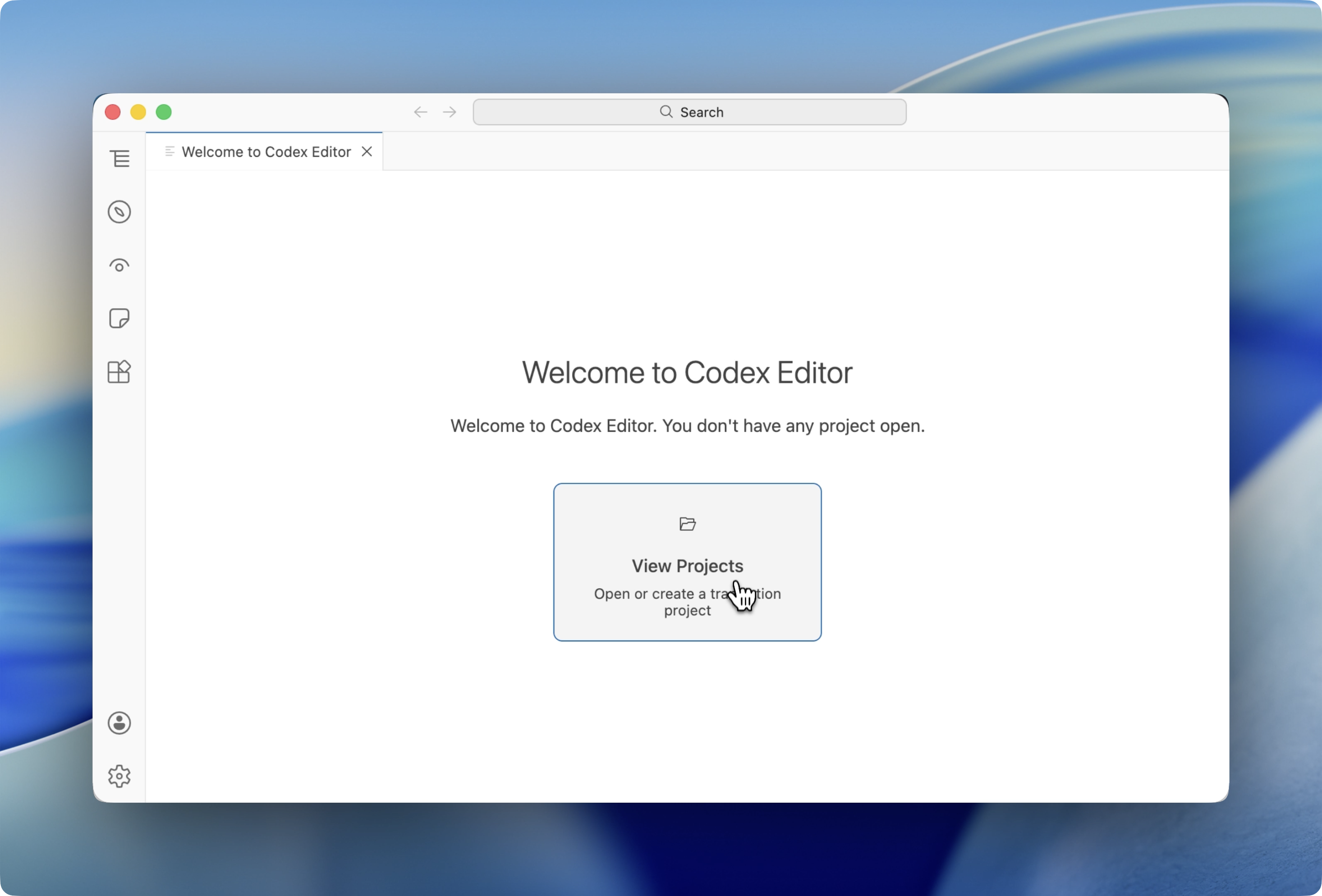
2. Select a Backup Format
Find the project you want to back up in the list. You'll see two backup options:
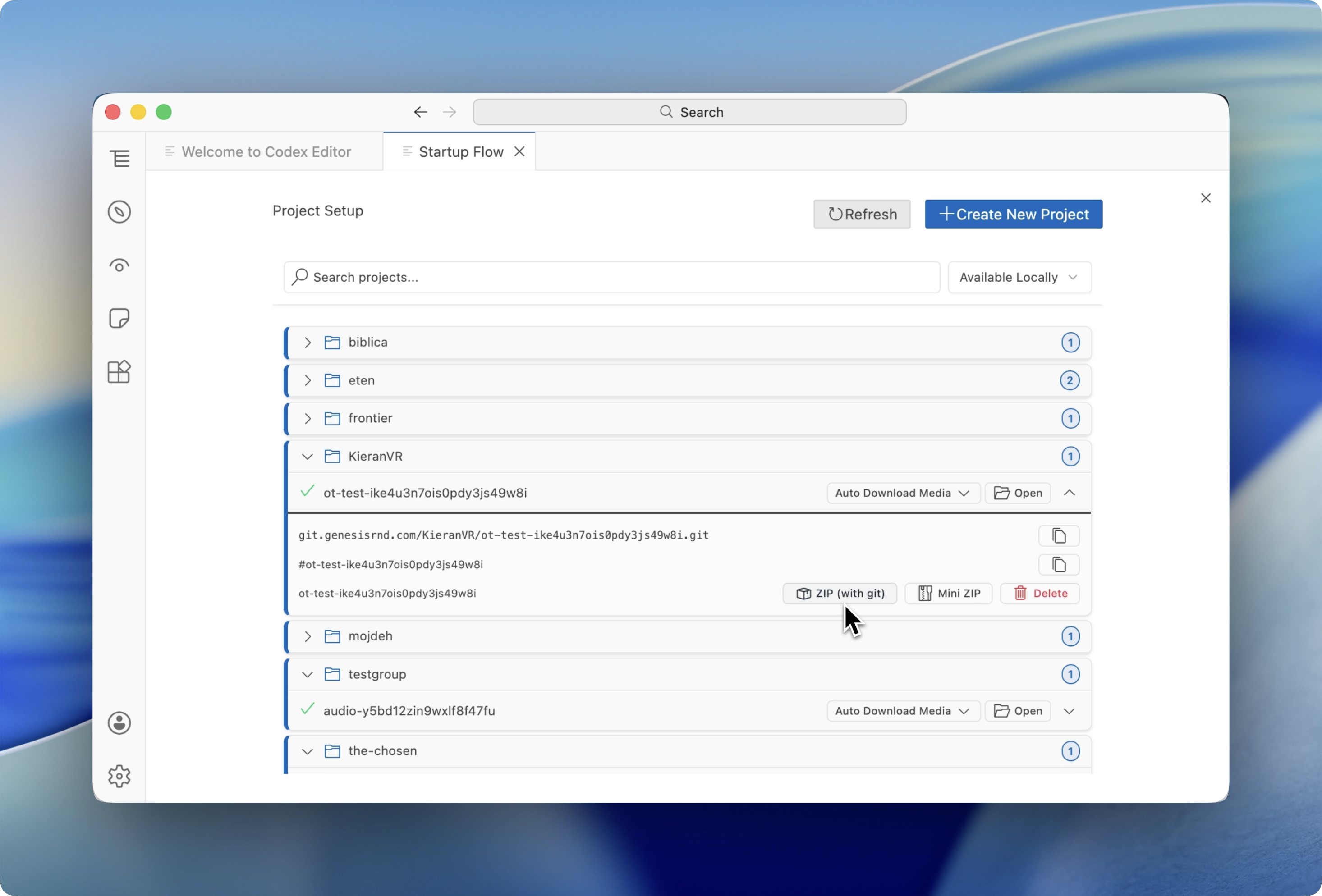
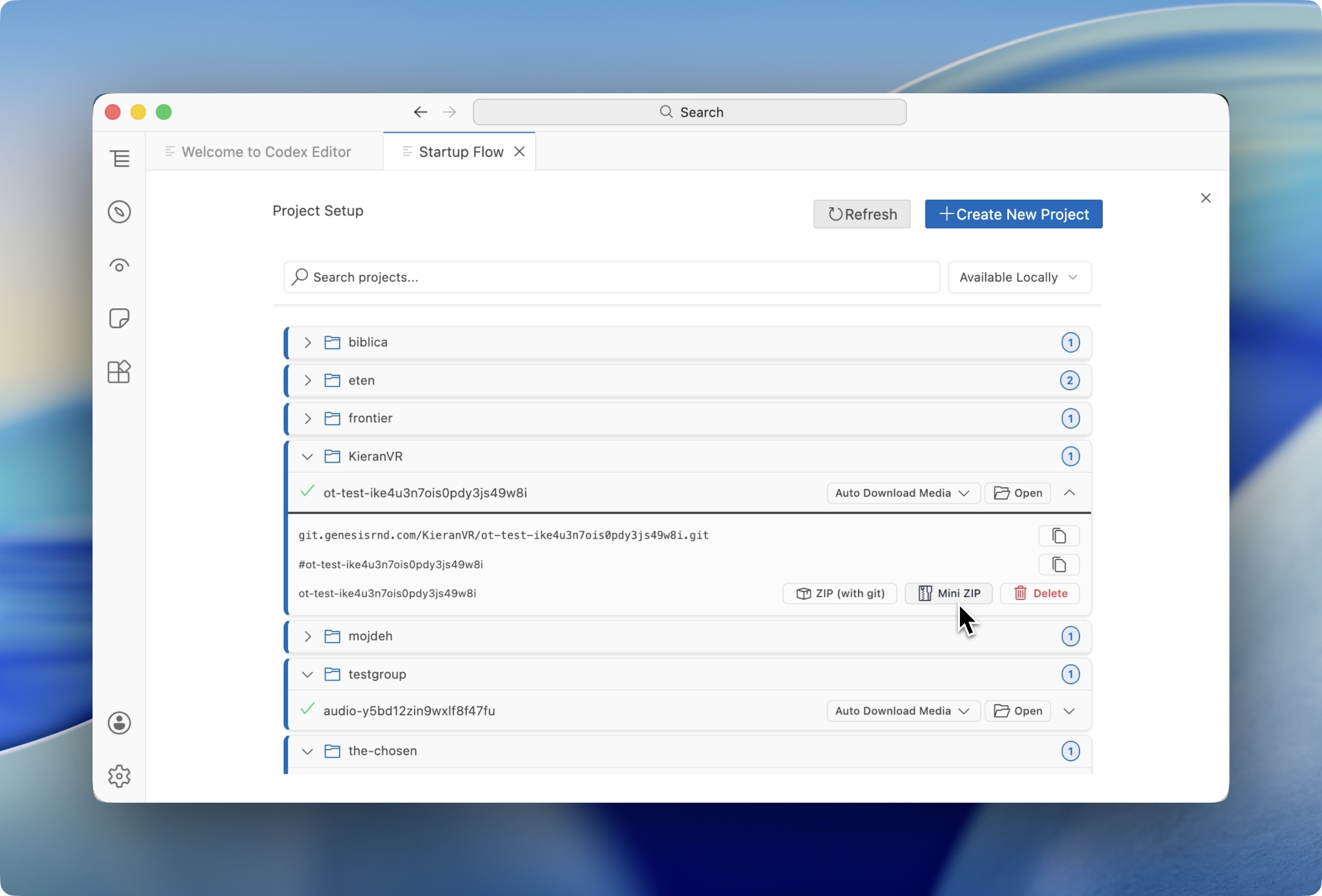
| ZIP (with Git) | Mini ZIP | |
|---|---|---|
includeGit flag | true | false (omitted) |
.git folder | Included | Excluded |
| File size | Larger | Smaller |
| Git history preserved | Yes | No |
| Best for | Backups or handoffs | Sharing or distribution |
Click your preferred option. The system will compress your project into a zip file that you can save anywhere and share freely.
Importing Files
Learn how to import various file formats into Codex Editor including Word documents, subtitles, structured texts, audio, and more
Managing Projects, Teams, and Access
Learn how to share projects, manage teams and members, create subgroups, and collaborate effectively. We use the Global Translation Tools organization as a sample throughout.